Accessible learning materials
How to reduce visual clutter on a school worksheet
Keep the original learning demand, but make the next place to look unambiguous. Start with a removable cover or reading window, clearer spacing and one active work area, then check whether accuracy and independence improve.

Separate the learning problem from the page-design problem
A child can understand the mathematics, vocabulary or science concept and still lose their place on a crowded page. Before reteaching the content, ask the learner to show where they were looking when the error occurred. Did they skip a line, answer from the wrong diagram, copy the neighbouring number or miss an instruction embedded among decorations?
Run a simple comparison using the same type of task. Change the way the information is presented without changing the question. If access improves, the page design was contributing. If the child remains unsure, the concept or instruction may also need teaching.
The opening image is an AI-generated illustration, not a real learner or session. It demonstrates a page comparison and does not identify a visual-processing condition.
Reveal only the information needed for the current step
Use a blank sheet of paper to cover questions that are not yet active. A small card with a window can frame one line, equation or paragraph. For digital work, zoom to the current section or use the platform’s focus view if available. These are reversible adaptations, so the full page remains available when context is needed.
Preserve labels, units, diagrams and answer choices that are necessary for the task. Decluttering is not deleting complexity from the curriculum. It is removing competing visual information while the learner directs attention to the required evidence.
| Observed difficulty | Adaptation to test | What must remain |
|---|---|---|
| Skipping rows | Reading window or ruler under the active line | The full wording of that line |
| Answering from the wrong diagram | Frame the question with its matching diagram | Labels, scale and units |
| Losing the answer space | Add spacing or a single outlined response box | Expected response length |
| Distracted by decorative elements | Use a clean copy or cover decoration | Every element carrying meaning |
Improve contrast and spacing deliberately
Clear contrast can help, but more colour is not always clearer. Use one consistent highlight for the current line rather than several competing colours. Leave sufficient space between questions and avoid placing instructions over images. On a screen, enlarging text may require more scrolling, so test whether the new layout genuinely reduces search effort.
NSW Department of Education guidance on cognitive load emphasises presenting necessary information in ways that support working memory. Local-authority vision guidance also recommends clear print, useful contrast and reduced clutter. These principles can improve access, but individual visual needs should be discussed with the school and appropriate specialist.
Test one adaptation with one comparable task
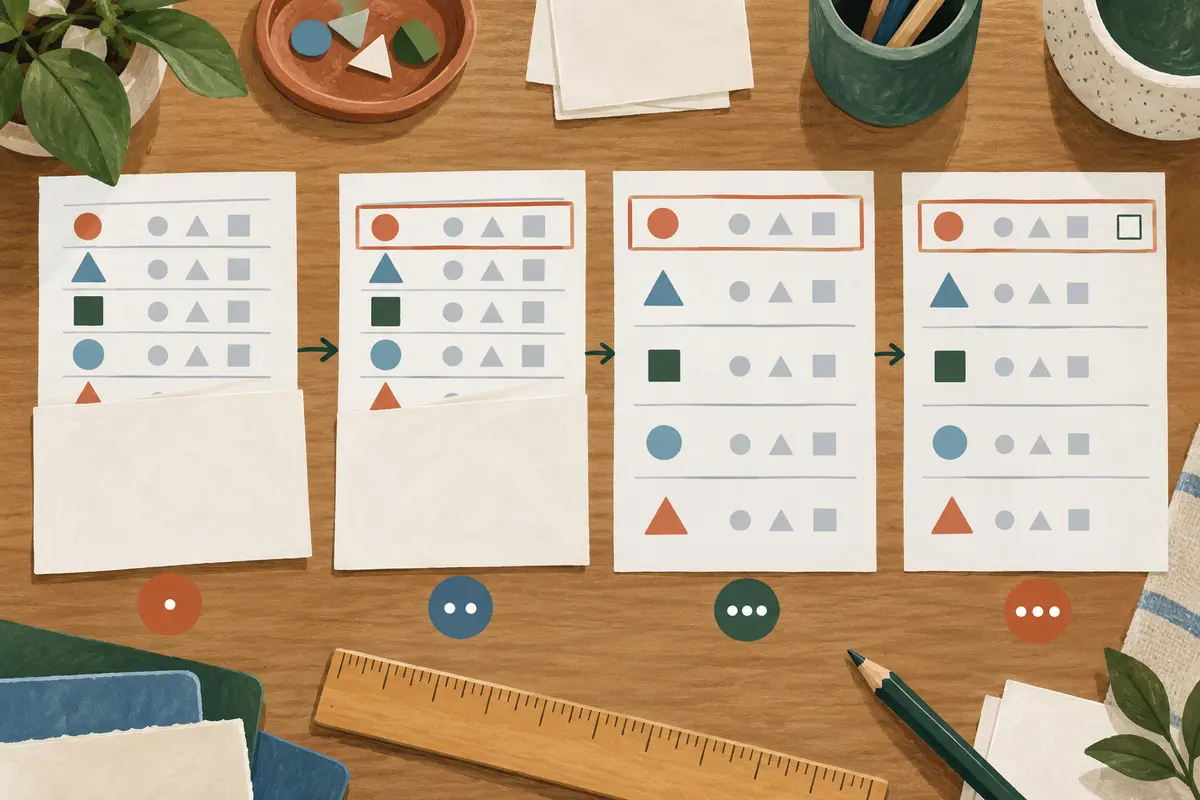
This generated visual preserves the abstract task while changing its presentation. It is not a diagnostic tool or a prescribed accommodation.
Record completion time only if speed matters to the task. More useful evidence may be lines skipped, prompts needed, place-finding errors and whether the child can explain the work. Compare two or three similar examples before deciding that an adaptation helps.
Ask the learner which change made the page easier to navigate. Their preference is useful evidence, but pair it with performance. An attractive layout may still hide information, while a simple card may look plain and work well.
Coordinate changes with school materials
Do not permanently reformat assessed work without checking what the school permits. Share a clean example of the adaptation and describe the access problem it addresses. The school can confirm whether the same approach can be used in class or assessments and whether specialist review is appropriate.
Our visual-processing learning support focuses on educational access and does not diagnose or treat visual conditions. Families around Gianyar can review Gianyar tutoring arrangements, subject to tutor fit and availability. The learning-support hub and multi-step task guide offer related planning tools.
Frequently asked questions
Does reducing worksheet clutter make the work easier?
It should make the page easier to navigate without lowering the intended knowledge or reasoning demand. Keep every instruction, label and choice that carries meaning.
Does losing a place on a worksheet prove a visual-processing difficulty?
No. Page design, attention, reading, language, vision and unfamiliar content can all contribute. Tutors can test educational adaptations, while diagnosis belongs to qualified specialists.
Related
Message us on WhatsApp: +62 858 6969 6869 · info@privatetutoringbali.com · We reply within one working day.
Sources and further reading
Published by Private Tutoring Bali. Sources and corrections.